Configure an LLM
Open Settings → LLMs. Which models you can use depends on your policy settings. You can configure any Private LLM, and Nexus has built-in support for OpenAI, Anthropic, xAI, OpenRouter, and Perplexity. Catalog: LLMs and models. Private endpoints: Private AI models.
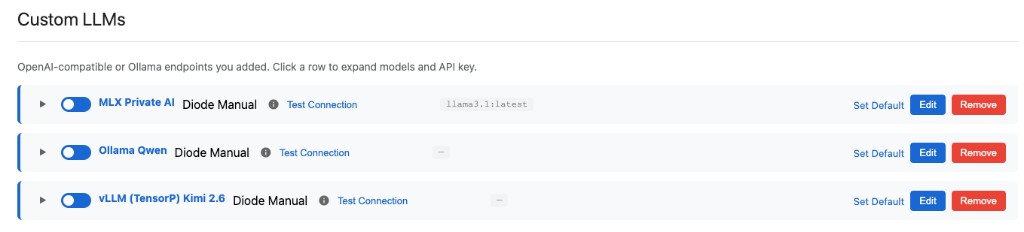
Private AI models first — add the private endpoints you or a partner host:
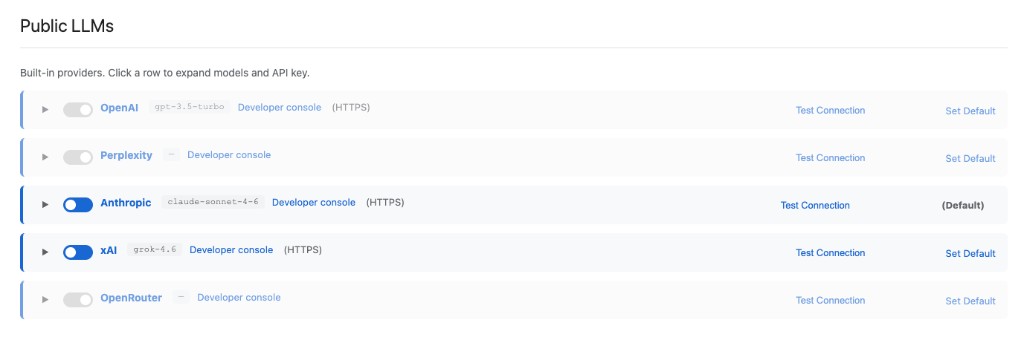
Public LLMs — enable the built-in providers you want under the same policy:
- Under Custom LLMs, add a Private AI model (OpenAI-compatible or Ollama — self-hosted or partner-hosted).
- Enable the built-in Public LLMs you want: OpenAI, Anthropic, xAI, OpenRouter, and Perplexity.
- Connect credentials and endpoint details; Test Connection.
- Prefer Diode connection modes when available: Auto Discovery (Perimeter Managed) or manual bind — so model traffic stays on your private path.
- Configure routing: drag to rank providers, and enable or disable each one, so private and public models follow your policy.
Without an enabled LLM, chat cannot answer. Pair models with Tools and MCP so the agent can ground answers in organization data.